
macOS Editor's Pick Games

Paralives 0.1.3b

75 views
Paralives

Paralives, Construct the house of your dreams, develop your own characters, and lead the life you desire. Welcome to a comfortable world where your choices influence each story.

Life without boundaries

Make your own decisions: pursue a job, a romantic relationship, a family, friendships, or financial success. Your choices shape each character’s story, and every life develops differently.

High-tech construction

Use curving walls, multi-level floors, alter object sizes, and freely alter interiors to create houses without being constrained by a grid. Almost any architectural concept can be realised with adaptable construction tools.

Making original characters

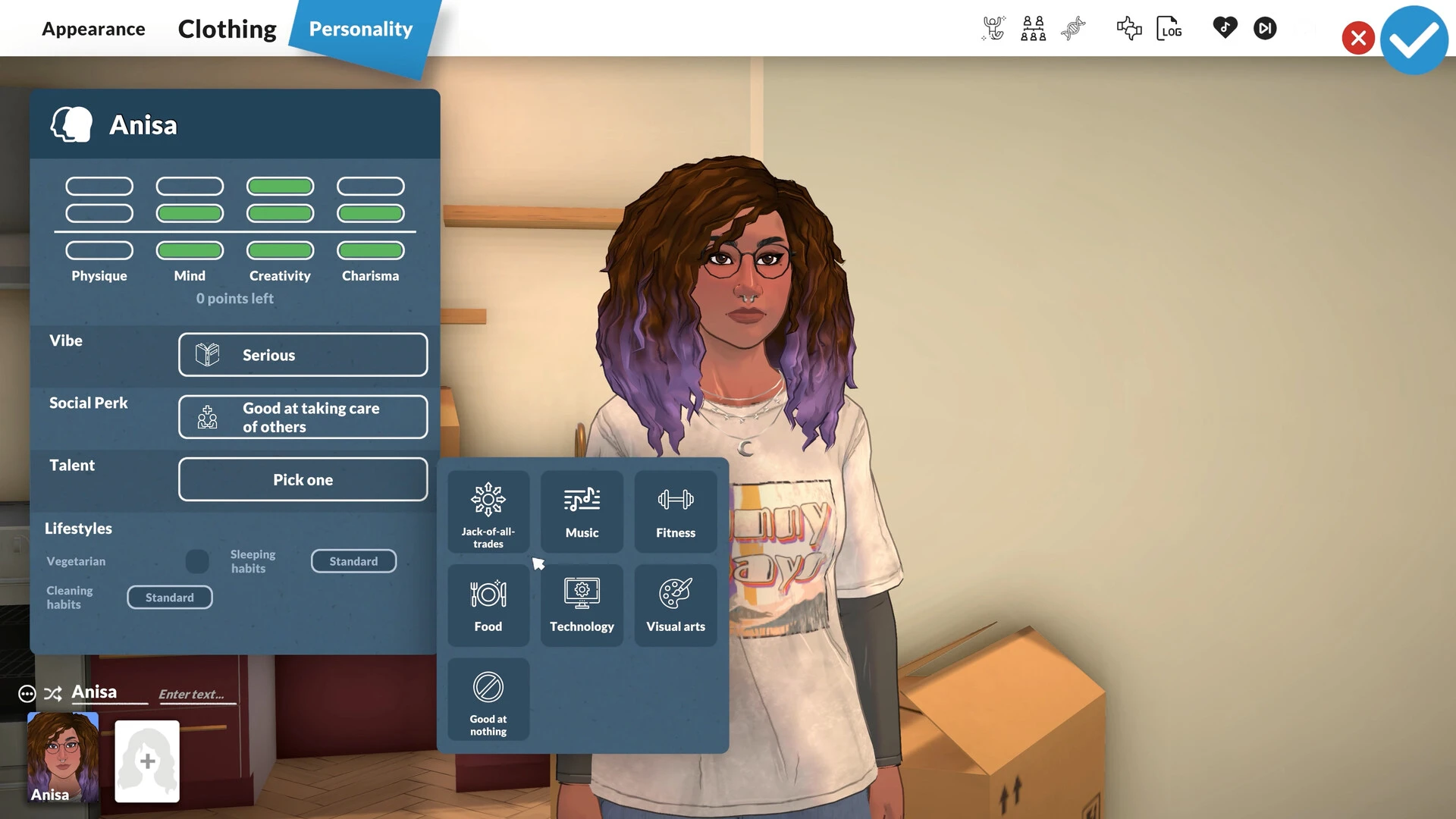
Each resident can look and feel genuinely distinct because of extensive customisation of appearance, clothing style, facial traits, height, and many other factors.

The open city

Discover a lively metropolis with parks, stores, eateries, beaches, and other open areas. Get to know new locals, take part in activities, and give your Sims new chances.

The narratives you write

Every character has their own aspirations, feelings, abilities, and life objectives. Build families, cultivate connections, overcome obstacles, and observe the unfolding of individual destiny.

Support for modifications

To improve the gaming experience, make use of community possibilities and user-generated material. Each story will become even more distinctive with the addition of new homes, characters, and items.

Oddities:

  • The Open World Life Simulator.
  • An advanced character editor.
  • Unrestricted building without a grid.
  • Adaptable customisation of textures, colours, and furniture.
  • Character development, relationships, and career.
  •  A live city exploration.
  • User customisations are supported.
  • You have a lot of freedom to perform and write your own stories.
Frequently asked questions

How to install and activate?

Run the downloaded image and drag the application to the Applications folder.
Once the copying is complete, the application can be launched via the Launchpad.

Is the program corrupted? Is the file broken? Or is there other errors?

There are so many errors, we can't list them all here. Therefore, we've described all the solutions (with pictures) in the article: Errors when installing applications on a Mac

How do I update? Officially? What happens with activation?

Official updates may result in loss of activation unless otherwise stated in the installation instructions.
To update the software from this website, you must download the new version of the software from here (if available) and install it over the version currently installed on your computer. This will preserve your activation and settings for the software.

How do I download it? The link isn't working? What is .torrent?

To download large files, it is recommended to use any download manager, for example, FDM (Free Download Manager)
For downloading from a file sharing service like Filen.io, it's not recommended to use Safari. Use Google Chrome or the aforementioned FDM browser, for example.
To download files via torrent (.torrent file), you need a torrent client, such as Transmission or the aforementioned FDM.
Please remember that providers may block access to some websites (1fichier.com, etc.). To bypass these blocks, it is recommended to use a VPN.

An update has been released. When will you update the version?

The site administration doesn't hack anything. That's the job of release teams and some enthusiasts. They're the ones responsible for ensuring updates are available. But you can hack software yourself by learning reverse engineering.

Add... Where is the order desk?

Definitely not in the comments. The site administration doesn't hack anything, and there's no order desk. However, you can order the software you need (not for free) in a special thread on forum.ru-board.com.

How to change the language?

Open System Preferences -> General > Language & Region -> Applications – "+".
Select an app and language. This method works for most apps.
The language in Adobe products is usually selected during the installation of the product itself.
The language in games is usually changed in the game settings itself.
There are exceptions. Don't hesitate to search for information online.

How to delete?

There are many options. The easiest is to use specialised app removal tools, such as App Cleaner & Uninstaller.
To remove Adobe products, use the Creative Cloud Cleaner Tool.

Need help?

The site offers a paid service: remote assistance (via AnyDesk, Zoom, or Skype) with the installation of any applications (not just those from this site) on any Mac or PC.

specs.txt
version0.1.3b
developerAlex Massé and team
activationNot required
testedmacOS Tahoe , Mac mini 2024 M4
size5.1GB
architectureARM
languagesRussian , English , German , Spanish , Italian , Simplified Chinese , Polish , Portuguese , French
voice_langsMusical accompaniment

Installation notes

Run the downloaded image and drag the application to the Applications folder.
Once the copying is complete, the application can be launched via the Launchpad.

Download — Download from Mail.ru

5.1GB · v0.1.3b

More mirrors (2)

Always scan downloaded files before opening them. This listing is provided for informational purposes; verify compatibility with your system before installing.

Leave a comment

Your email address will not be published. Required fields are marked *