
macOS Editor's Pick Programs

VueScan Pro 9.8.55

17 views
VueScan Pro

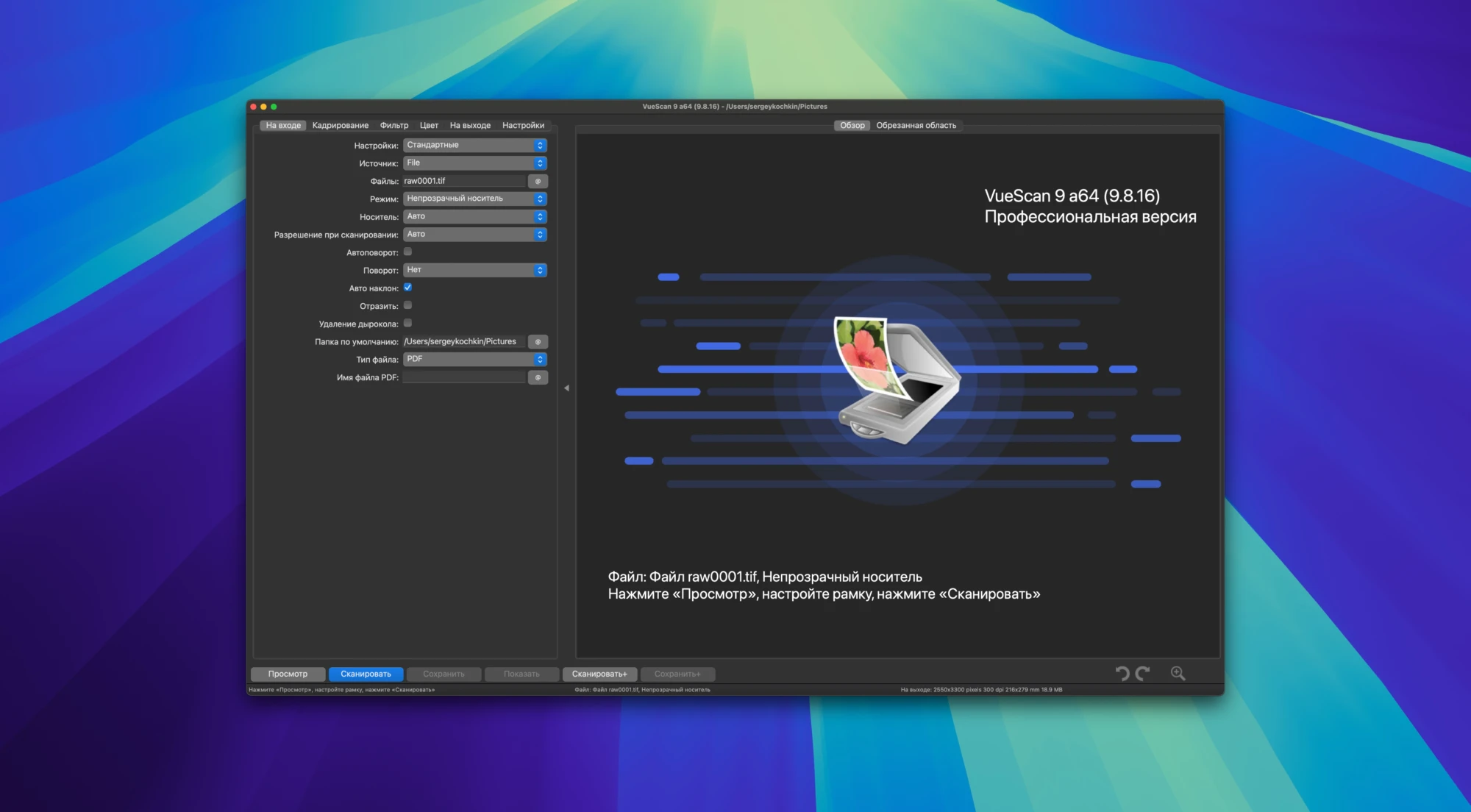
HP, Minolta, Nikon, Polaroid, Epson, Canon, and other scanners can be scanned with VueScan. Native colour depth is supported. Batch scanning and most parameter adjustments are supported by VueScan Pro, both automatically and manually.

With a preference for slide scanners, more than 6,000 scanner models are supported, including Nikon, Minolta, Polaroid, Microtek, and Epson.  There are filters for soft-masking, grain suppression, and eliminating undesirable colour casts. Additionally, dynamic range and gradation qualities can be manually adjusted (separately for R, G, and B channels).

Features of the programme:

  • The scanning and image processing procedures can be configured in a variety of ways.
  • Exposure, colour correction, maximum colour depth, and file format can all be changed.
  • Image flaws are automatically eliminated. An infrared scanning channel is used to do this.
  • After the device is shut off, the original scanning data is saved to a file and processed. This prolongs the equipment’s service life and removes the need to rescan originals.
  • Keeping user preferences in a unique file. This enables you to design unique profiles for any kind of task.
Frequently asked questions

How to install and activate?

Installation and activation instructions are included in the package (inside).

Is the program corrupted? Is the file broken? Or is there other errors?

There are so many errors, we can't list them all here. Therefore, we've described all the solutions (with pictures) in the article: Errors when installing applications on a Mac

How do I update? Officially? What happens with activation?

Official updates may result in loss of activation unless otherwise stated in the installation instructions.
To update the software from this website, you must download the new version of the software from here (if available) and install it over the version currently installed on your computer. This will preserve your activation and settings for the software.

How do I download it? The link isn't working? What is .torrent?

To download large files, it is recommended to use any download manager, for example, FDM (Free Download Manager)
For downloading from a file sharing service like Filen.io, it's not recommended to use Safari. Use Google Chrome or the aforementioned FDM browser, for example.
To download files via torrent (.torrent file), you need a torrent client, such as Transmission or the aforementioned FDM.
Please remember that providers may block access to some websites (1fichier.com, etc.). To bypass these blocks, it is recommended to use a VPN.

An update has been released. When will you update the version?

The site administration doesn't hack anything. That's the job of release teams and some enthusiasts. They're the ones responsible for ensuring updates are available. But you can hack software yourself by learning reverse engineering.

Add... Where is the order desk?

Definitely not in the comments. The site administration doesn't hack anything, and there's no order desk. However, you can order the software you need (not for free) in a special thread on forum.ru-board.com.

How to change the language?

Open System Preferences -> General > Language & Region -> Applications – "+".
Select an app and language. This method works for most apps.
The language in Adobe products is usually selected during the installation of the product itself.
The language in Ames is usually changed in the game settings itself.
There are exceptions. Don't hesitate to search for information online.

How to delete?

There are many options. The easiest is to use specialised app removal utilities, such as App Cleaner & Uninstaller.
To remove Adobe products, use the Creative Cloud Cleaner Tool.

Need help?

The site offers a paid service: remote assistance (via AnyDesk, Zoom, or Skype) with the installation of any applications (not just those from this site) on any Mac or PC.

specs.txt
version9.8.55
developerHamrick Software
activationIncluded
compatibilitymacOS 10.15 and later
size100MB
architectureARM , x86 (64-bit)
languagesEnglish , German , Arabic , Basque , Belarusian , Bulgarian , Catalan , Chinese ( simplified ) , Hungarian , Vietnamese , Greek , Georgian , Danish , Hebrew , Spanish , Italian , Japanese , Korean , Latvian , Lithuanian , Norwegian , Persian , Polish , Portuguese , Romanian , Russian , Slovak , Slovenian , Swedish , Turkish , Ukrainian , Finnish , French , Georgian , Hindi

Installation notes

Installation and activation instructions are included in the package (inside).

Download — Direct download link

100MB · v9.8.55

More mirrors (2)

Always scan downloaded files before opening them. This listing is provided for informational purposes; verify compatibility with your system before installing.

Leave a comment

Your email address will not be published. Required fields are marked *