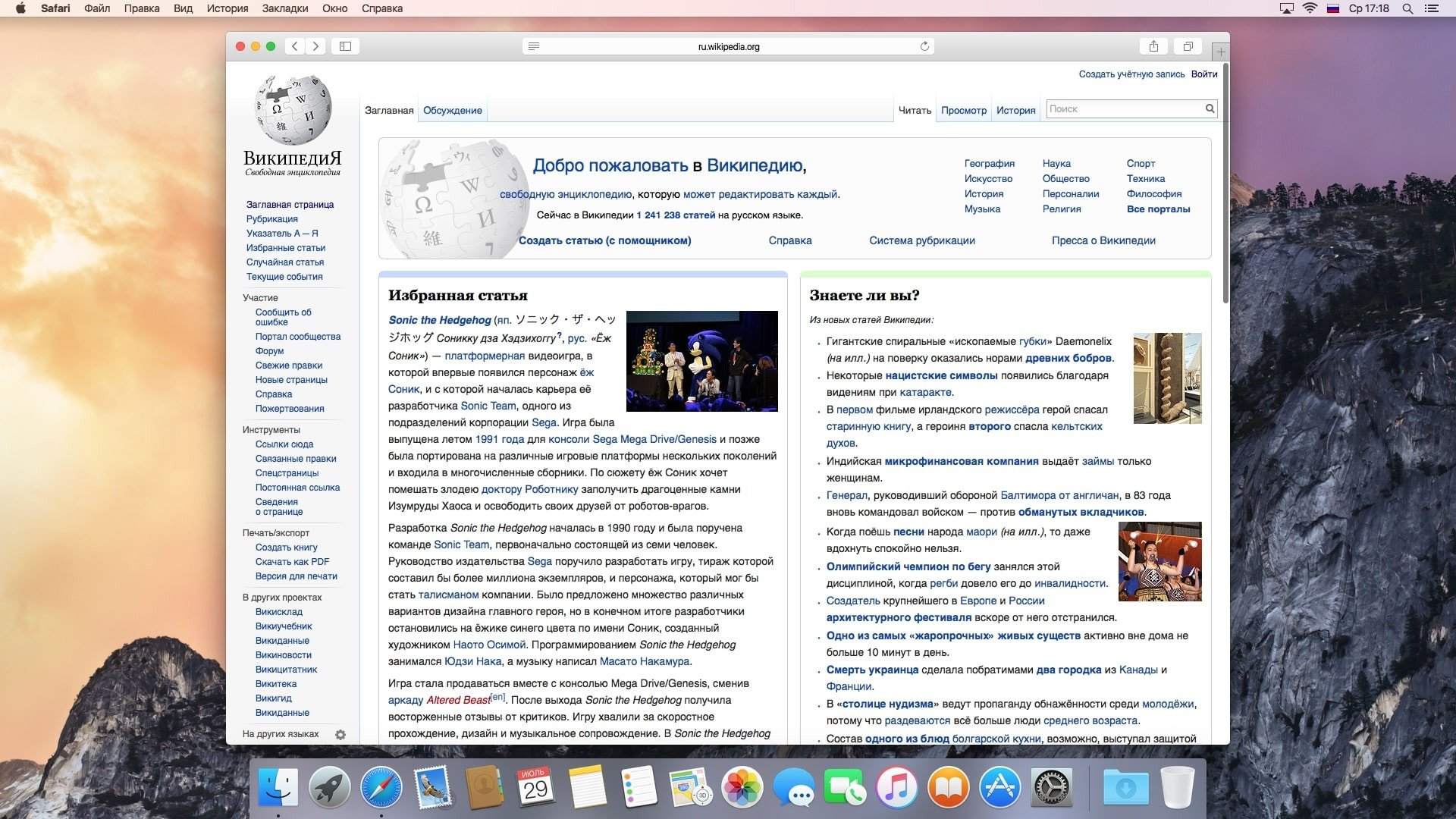
OS X Yosemite offers customers even more iOS-inspired features and a sleeker look, continuing the trend started with last year’s OS X Mavericks.
Although well-known iOS apps like Maps and iBooks were debuted with Mavericks, Apple claims that both systems are made to function flawlessly together this time. OS X 10.10 has a far more contemporary appearance thanks to its flat design, translucent panels, and departure from gradients and textures in iOS 7. The app drawer and windows have sharper edges, and the app icons have a new, flatter, simpler style.
The final version of OS X Yosemite has been made available by Apple. The new Mac desktop operating system, which was first introduced at WWDC 2014, is a significant upgrade to OS X.
More Points Included
- The new iCloud Drive service, which gives you access to every file in your iCloud account via the Finder file browser, is one of the biggest changes.
- Like any other file type, users may view, tag, and search their cloud-stored files using Spotlight. Every iCloud Drive file will sync with Windows, iOS, and OS X.
- With a cleaner, more user-friendly look and better search integration, the Safari browser has undergone a major makeover.
- According to Apple, the browser can process JavaScript code up to six times faster than Firefox and up to five times faster than Chrome on most webpages.
- Additionally, Apple has increased Safari’s compatibility with web standards like HTML5, WebGL, and SPDY.
- Users may now wirelessly transfer photographs and other data between their desktop computers and mobile devices thanks to the implementation of AirDrop functionality between OS X and iOS.
- Lastly, users can begin work on a Mac and complete it on an Apple iPhone or iPad, and vice versa, thanks to Handoff technology.
More Intelligent Features & Tools
- Spotlight Search: In addition to conducting fast computations, the search bar was repositioned to the dead centre of the screen and was able to retrieve contextual information straight from the internet, Wikipedia, Maps, and the iTunes Store.
- Notification Centre: A special “Today” display that enabled downloadable widgets for the weather, calendar, stocks, and more was included in the recently redesigned Notification Centre.
- Safari: The search and bookmarks bar were combined into a single, thin toolbar, greatly simplifying the browser. Additionally, it included Mail Drop, which circumvented standard attachment limits by enabling users to transmit files up to 5GB via iCloud.
A new “Today View” for the calendar, reminders, weather, stocks, social media, and more has been added to the Notification Centre. According to Apple, third-party widgets that may be downloaded from the App Store will enhance these features. Now prominently displayed on the desktop, the all-purpose Spotlight search tool has emerged as a crucial OS feature.