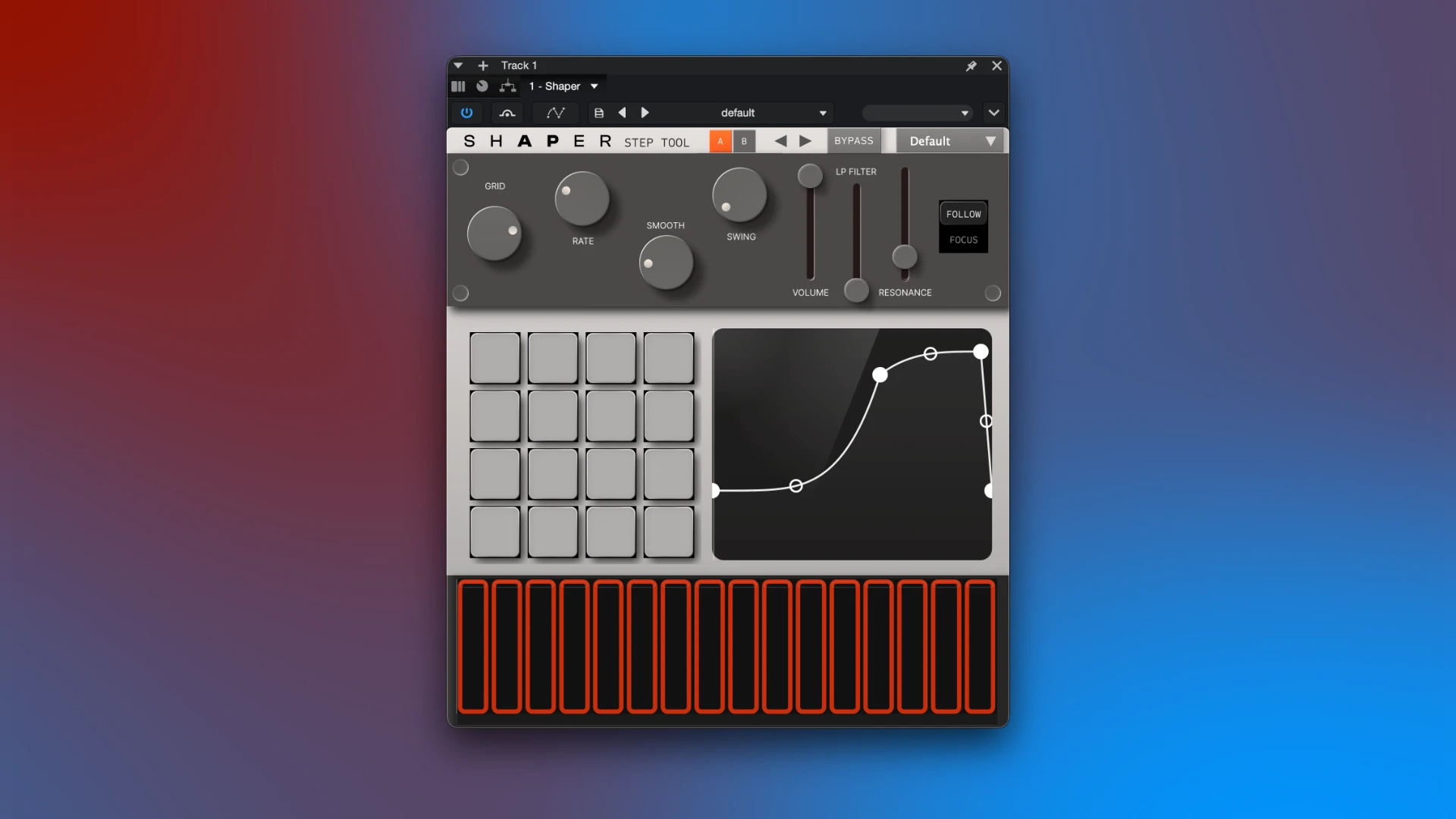
Battersea Audio SHAPER Step Tool immediately turns any dull audio file into a vibrant, motivating part of the music by combining the well-known sidechain effect with a sophisticated step sequencer. For producers, composers, and sound designers, SHAPER is a vital tool that makes it simple to include dynamics into music, build intricate rhythmic patterns, and produce ever-changing auditory textures.
Features Included:
- A dynamic, CPU-efficient VST3 and AU effects plugin, the Battersea Audio SHAPER Step Tool combines traditional sidechain ducking with trancegate-style sequencing
- . Producers and sound designers can quickly include complex rhythms, epic swells, and jagged textures into static synth, drum, and vocal tracks thanks to its versatile 32-step sequencer.
- It is built on a versatile 32-step graphical editor that lets you precisely chop, smooth, and rearrange sound.
- It can be used to construct intricate, lengthy musical phrases or to produce basic pulses in sync with percussion. Your computer’s processor is little taxed by the plugin’s incredibly effective operation.
Important aspects of the plugin:
- Everything has rhythmic patterns. Add intriguing rhythms to drums, guitars, synths, and vocals right away, transforming commonly held notes into throbbing, surging sections.
- sophisticated sidechaining. allows for multi-layered and adaptable volume and filter changes, going much beyond the basic danceable sound “pop” effect.
- Tailor the movements’ personality. From a strong electronic chop to a gentle, soaring swing, dedicated “SWING” and “SMOOTH” controls enable you to precisely tailor the generated rhythm to the tone of your song.
- More than a hundred artistic presets. There is a huge collection of pre-made presets available for free, ranging from extreme orchestral effects and cinematic fades to delicate movement. Additionally, you can modify the default startup view and store an infinite number of your own preferences.
- Complete automation. For live performances or automatic recording of changes within a project, you can simply bind any of the plugin’s settings to keyboard controls thanks to its MIDI control compatibility.