macOS Extensions

TC Electronic MD3 Native Multiband Dynamics 1.1.0

31 views
TC Electronic MD3 Native Multiband Dynamics

Tools for handling dynamics in any mix with assurance.

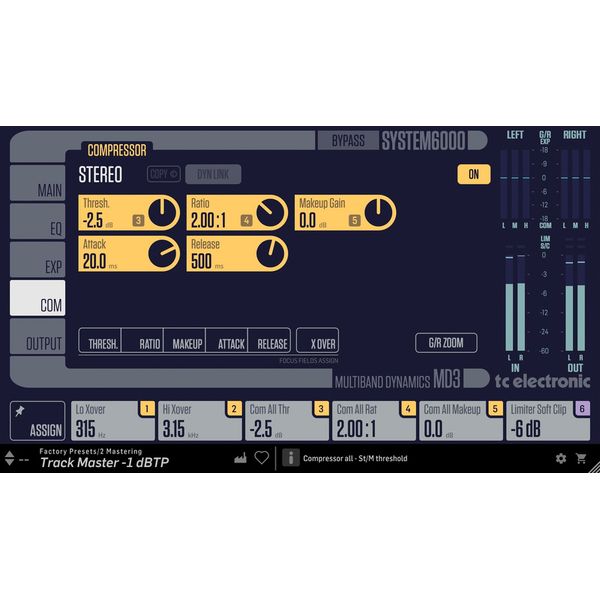
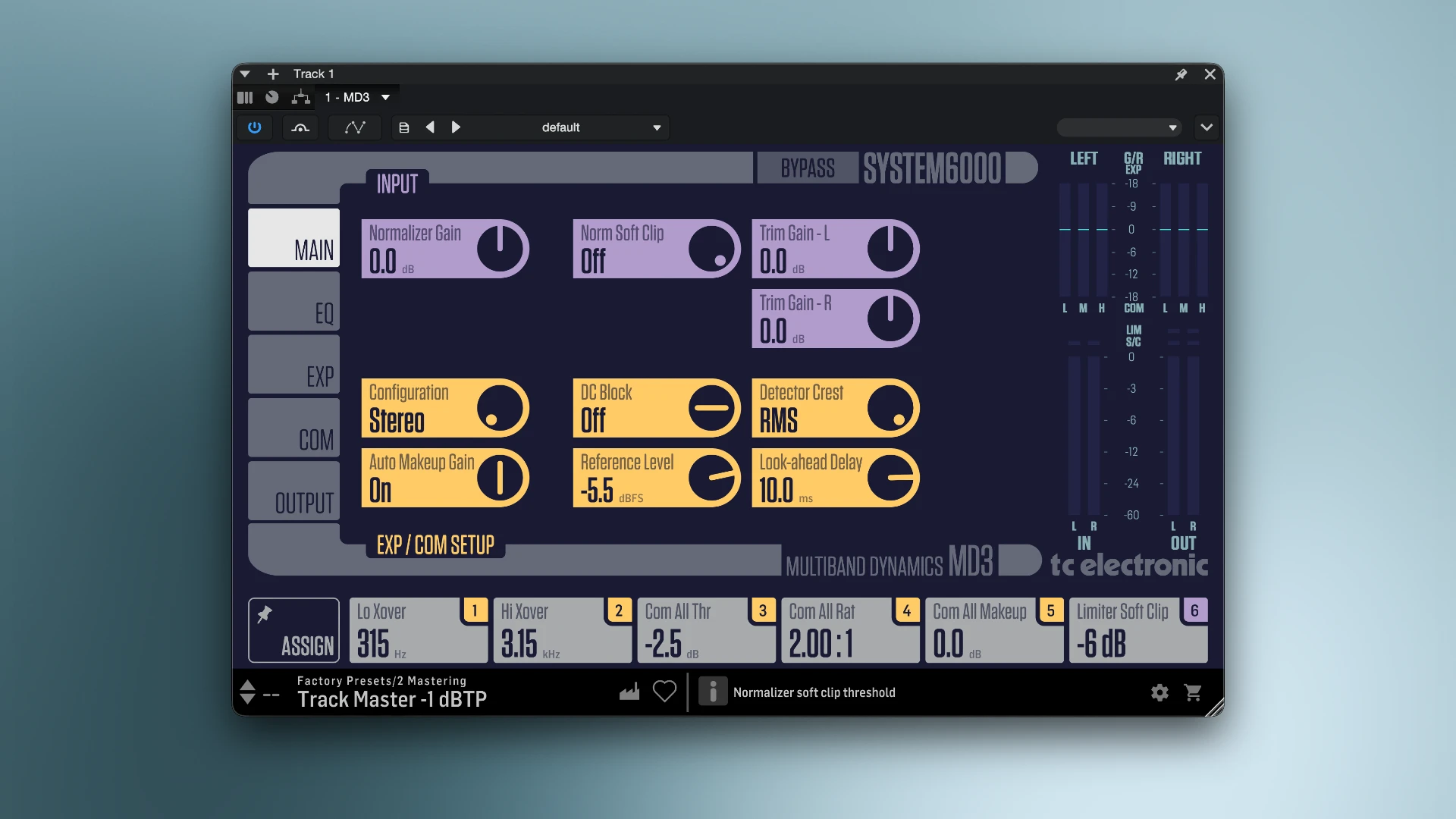
TC Electronic MD3 Native Multiband Dynamics will no longer make it challenging to control track density and loudness. You’ll have everything you need to produce a well-balanced, aesthetically beautiful, and polished sound with the MD3 Native plugin.

A dedicated automatic volume leveller guarantees a great, clean output signal free of bothersome distortion, and the integrated multi-band equaliser makes it simple to perfect any audio file.

The song’s quiet and loud parts are perfectly balanced thanks to the engineers’ installation of an upgraded maximum volume limiter and an advanced audio compression technique.

Important aspects of the plugin:

• Adjusting frequencies. Any instrument or voice can have its deficiencies softly corrected, or its strengths highlighted, thanks to the integrated equaliser.

• Modification of sound density. The track’s overall sound is coherent, energetic, and contemporary thanks to the delicate balance maintained by the compression and volume-limiting system.

• Distinct spatial processing. The volume of components that sound just in the middle, like vocals, and those that are on the sides, like guitars or effects, can be changed independently.

Comprehensive Power and Adaptability

For a long time, the MD3 Native has been praised as an “invisible” dynamic shaping tool. It is made to transparently adjust your dynamic range without adding digital artefacts or changing the essential tone of an otherwise excellent mix, in contrast to more aggressive character compressors. Because of this, it is a very well-liked option for honing individual instrument buses or stems as well as mastering complete recordings.

Features of Advanced Processing

The MD3’s real Mid/Side (M/S) encoding/decoding capabilities are one of its most notable characteristics. It enables you to process the stereo (sides) and mono (mid) data separately. For instance, you can softly expand or compress the sides of your mix to widen the stereo image and add air to your cymbals while rigidly compressing the low end of your mix in mono to keep the low frequencies attached.

All-inclusive Equaliser and Limiting

In addition to dynamics, the plugin has a very accurate, neutral 4-band parametric EQ that enables precise, artefact-free boosts and cuts. A revised true-peak brickwall limiter is included in the package for the final output. This keeps your peaks from ever exceeding the ceiling, guaranteeing that your audio satisfies the requirements of contemporary streaming services and avoiding undesired distortion in consumer playback devices.
Frequently asked questions

How to install and activate?

Open the downloaded image and follow the standard installation procedure.

Is the program corrupted? Is the file broken? Or is there other errors?

There are so many errors, we can't list them all here. Therefore, we've described all the solutions (with pictures) in the article: Errors when installing applications on a Mac

How do I update? Officially? What happens with activation?

Official updates may result in loss of activation unless otherwise stated in the installation instructions.
To update the software from this website, you must download the new version of the software from here (if available) and install it over the version currently installed on your computer. This will preserve your activation and settings for the software.
Read more in the article: Updating pirated apps

How do I download it? The link isn't working? What is .torrent?

To download large files, it is recommended to use any download manager, for example, FDM (Free Download Manager)
For downloading from a file-sharing service like Filen.io, it's not recommended to use Safari. Use Google Chrome or the aforementioned FDM browser, for example.
To download files via torrent (.torrent file), you need a torrent client, such as Transmission or the aforementioned FDM.
Please remember that providers may block access to some websites (1fichier.com, etc.). To bypass these blocks, it is recommended to use a VPN.

An update has been released. When will you update the version?

The site administration doesn't hack anything. That's the job of release teams and some enthusiasts. They're the ones responsible for ensuring updates are available. But you can hack software yourself by learning reverse engineering.

Add... Where is the order desk?

Definitely not in the comments. The site administration doesn't hack anything, and there's no order desk. However, you can order the software you need (not for free) in a special thread on forum.ru-board.com.

How to change the language?

Open System Preferences -> General -> Language & Region -> Applications -> "+".
Select an app and language. This method works for most apps
The language in Adobe products is usually selected during the installation of the product itself
The language in games is usually changed in the game settings themselves.
There are exceptions. Don't hesitate to search for information online.

How to delete?

There are many options. The easiest is to use specialised app removal tools, such as App Cleaner & Uninstaller.
To remove Adobe products, use the Creative Cloud Cleaner Tool.

Need help?

The site offers a paid service: remote assistance (via AnyDesk, Zoom, or Skype) with the installation of any applications (not just those from this site) on any Mac or PC.

specs.txt
version1.1.0
developerTC Electronic
activationk'ed by GUISEPPE
compatibilitymacOS 10.15 and later
size41MB
architectureARM , x86 (64-bit)
languagesEnglish

Installation notes

Open the downloaded image and follow the standard installation procedure.

Download — Direct download link

41MB · v1.1.0

More mirrors (2)

Always scan downloaded files before opening them. This listing is provided for informational purposes; verify compatibility with your system before installing.

Leave a comment

Your email address will not be published. Required fields are marked *