macOS Editor's Pick Extensions

Tone Empire Goliath V3 1.0.0

15 views
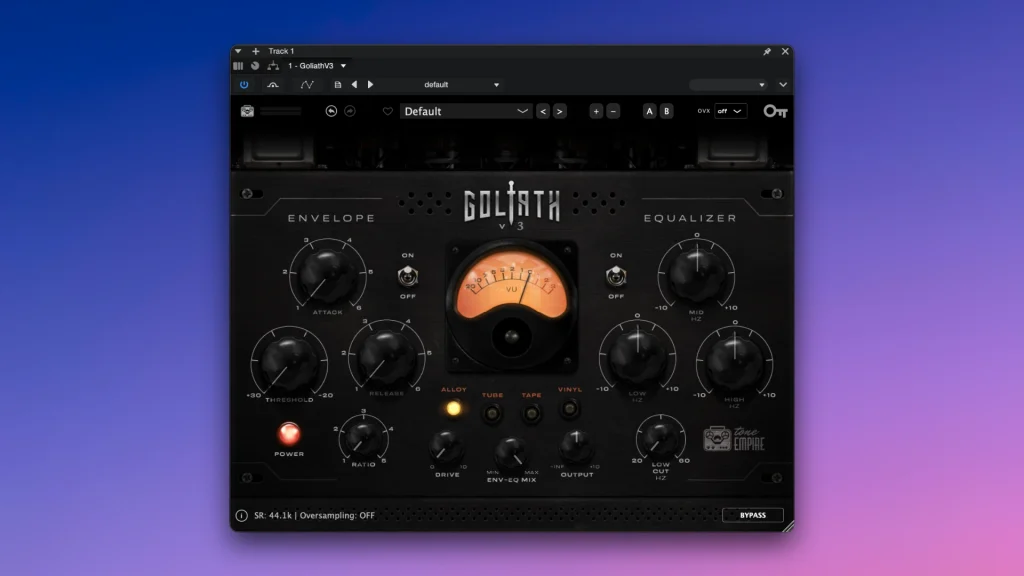
Tone Empire Goliath V3

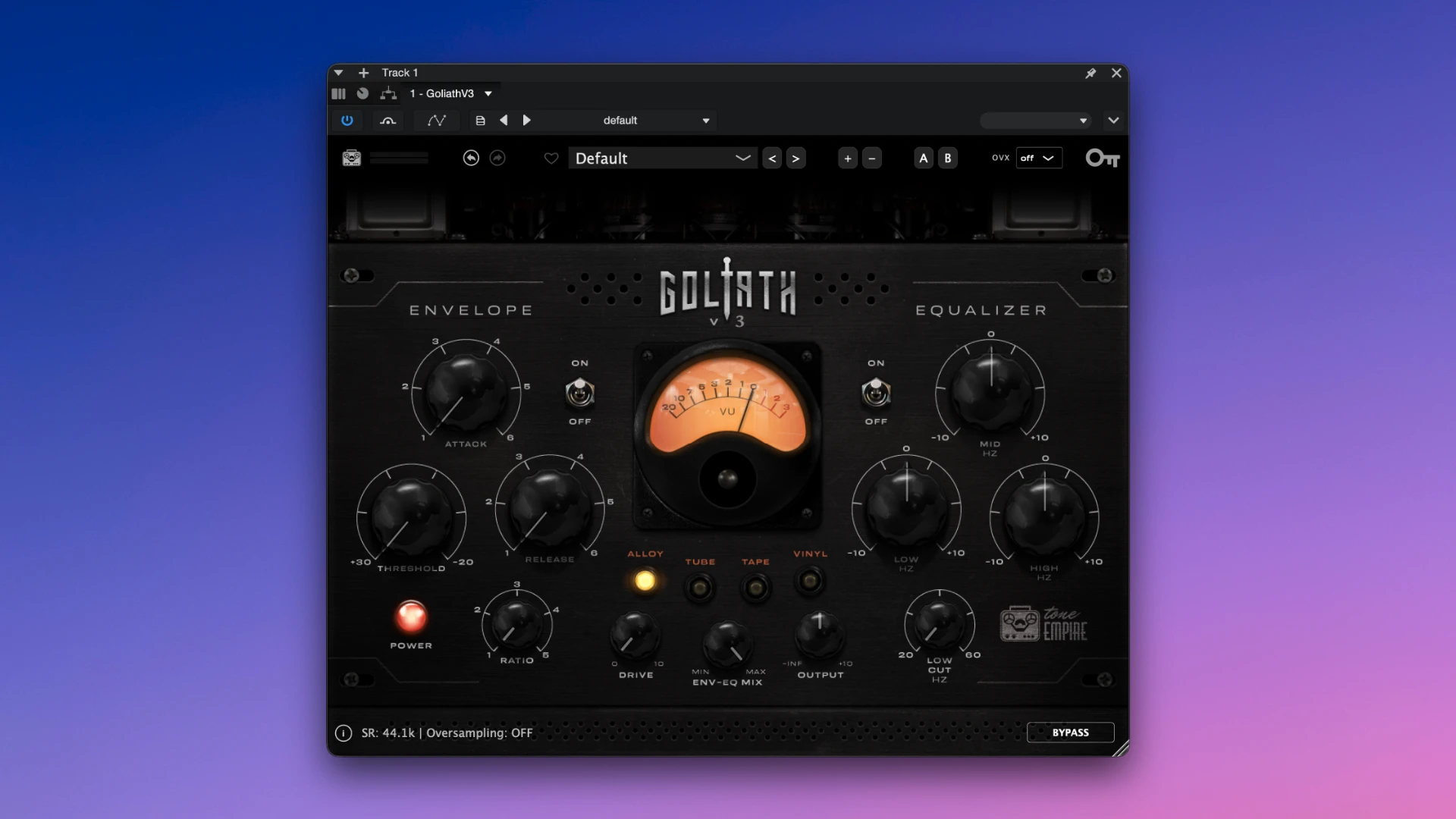
Tone Empire Goliath V3 is a sophisticated hybrid channel strip plugin that adds “mojo”, saturation, and dynamic shaping to your mixes by fusing classic analogue character with contemporary digital control. Goliath V3 is a robust and adaptable analogue audio enhancement plugin that integrates the functionality of four well-known studio equipment items into a single user interface.

The third edition of the plugin’s greatest asset is its adaptability. You can choose from four distinct sound colour models instead of buying many devices: from huge inductive saturation and traditional tape tone to the thick character of old solid-state circuits and the gentle warmth of tubes.

Features Full Included:

  • It’s the ideal tool for giving the finishing touch to a full mix, polishing individual tracks, or joining groups of instruments.
  • Four iconic analogue characters. To get the ideal studio warmth for each instrument, quickly switch between Tube, Tape, Solid State, and Class A modes.
  • An analogue three-band equaliser. Gentle and melodic tone adjustment is made possible by the integrated frequency correction block. Without producing a disagreeable roughness, it can readily highlight the density of the lower register or provide subtle brightness to the higher range.
  • The Dynamics Processing Module. With only one knob, you can swiftly tighten the audio signal in a specifically designed compression section, which helps the sound firmly and clearly maintain its position in the mix.

Distortion protection and parallel control. You may maintain the naturalness of the performance by blending a rich processed signal with the original clean recording using a handy blend slider. In the meantime, the additional character won’t unintentionally overrun the digital channel thanks to the automated volume balancing feature.

The term “Goliath” was not picked at random; the device is intended to give thin, lifeless digital recordings a noble studio character by transforming them into thick, substantial, and genuinely large-scale audio canvases.
Frequently asked questions

How to install and activate?

Mount the downloaded image and follow the standard installation procedure.

Is the program corrupted? Is the file broken? Or is there other errors?

There are so many errors, we can't list them all here. Therefore, we've described all the solutions (with pictures) in the article: Errors when installing applications on a Mac

How do I update? Officially? What happens with activation?

Official updates may result in loss of activation unless otherwise stated in the installation instructions.
To update the software from this website, you must download the new version of the software from here (if available) and install it over the version currently installed on your computer. This will preserve your activation and settings for the software.

How do I download it? The link isn't working? What is .torrent?

To download large files, it is recommended to use any download manager, for example, FDM (Free Download Manager)
For downloading from a file sharing service like Filen.io, it's not recommended to use Safari. Use Google Chrome or the aforementioned FDM browser, for example.
To download files via torrent (.torrent file), you need a torrent client, such as Transmission or the aforementioned FDM.
Please remember that providers may block access to some websites (1fichier.com, etc.). To bypass these blocks, it is recommended to use a VPN.

An update has been released. When will you update the version?

The site administration doesn't hack anything. That's the job of release teams and some enthusiasts. They're the ones responsible for ensuring updates are available. But you can hack software yourself by learning reverse engineering.

Add... Where is the order desk?

Definitely not in the comments. The site administration doesn't hack anything, and there's no order desk. However, you can order the software you need (not for free) in a special thread on forum.ru-board.com.

How to change the language?

Open System Preferences -> General > Language & Region -> Applications – "+".
Select an app and language. This method works for most apps.
The language in Adobe products is usually selected during the installation of the product itself.
The language in games is usually changed in the game settings itself.
There are exceptions. Don't hesitate to search for information online.

How to delete?

There are many options. The easiest is to use specialised app removal tools, such as App Cleaner & Uninstaller.
To remove Adobe products, use the Creative Cloud Cleaner Tool.

Need help?

The site offers a paid service: remote assistance (via AnyDesk, Zoom, or Skype) with the installation of any applications (not just those from this site) on any Mac or PC.

specs.txt
version1.0.0
developerTone Empire
activationK'ed by MORiA
compatibilitymacOS 10.13 and later
size82MB
architectureARM , x86 (64-bit)
languagesEnglish

Installation notes

Mount the downloaded image and follow the standard installation procedure.

Download — Direct download link

82MB · v1.0.0

More mirrors (2)

Always scan downloaded files before opening them. This listing is provided for informational purposes; verify compatibility with your system before installing.

Leave a comment

Your email address will not be published. Required fields are marked *